
Key Takeaways
- MCP connects AI agents to business systems and data.
- Prompt injection, tool poisoning, and excessive permissions create major security risks.
- Least-privilege access, strong authentication, monitoring, and human approval help secure MCP deployments.
- MeisterIT Systems builds secure AI agents and MCP integrations with controlled access and security testing.
Introduction
Businesses are moving beyond AI chatbots. They now want AI agents that can update CRM records, analyse company data, respond to customers, create support tickets, manage documents, and trigger internal workflows.
Model Context Protocol makes these integrations easier by allowing AI systems to connect with external business tools through a standard interface. However, this convenience introduces a serious question for CTOs and CISOs: what happens if an AI agent is manipulated after receiving access to critical systems?
The result may not be limited to an inaccurate response. A compromised agent could expose customer data, send unauthorised emails, change business records, misuse credentials, or trigger harmful actions.
This article explores the most significant MCP security risks and the controls businesses need before deploying AI agents in production.
What is Model Context Protocol?
Model Context Protocol, or MCP, is an open standard that allows AI applications to communicate with external tools, services, and data sources.
Without MCP, developers may need to build a separate integration for every combination of AI model and business application. MCP creates a consistent way for models to discover tools, request data, and perform authorised actions.
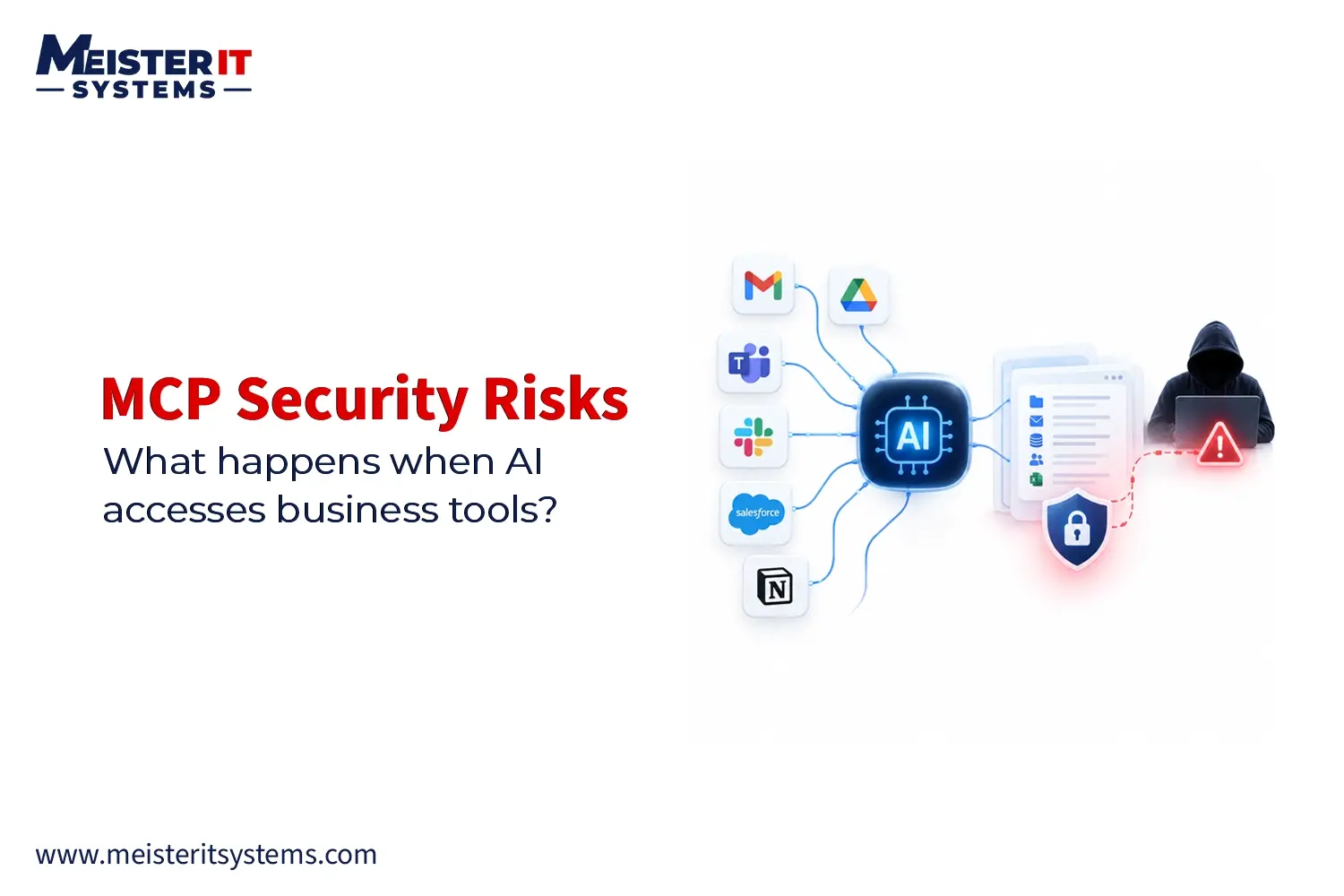
A typical MCP architecture includes:
- MCP host: The AI application where the user performs a task.
- MCP client: The component that manages communication with connected servers.
- MCP server: The service that exposes tools, prompts, or resources to the AI.
- Business system: The CRM, database, cloud platform, file system, API, or application connected through the server.
For example, an AI sales agent could retrieve a customer record, update an opportunity, draft a follow-up email, and schedule a meeting.
This can improve productivity, but it also means the agent is no longer only generating text. It is participating directly in business operations.
Why MCP Security is a Business Risk
The main MCP security concern is not simply what an AI model says. It is what the connected agent is authorised to do.
An MCP-connected agent may be able to:
- Read confidential company documents
- Access customer and employee information
- Update or delete database records
- Send external communications
- Execute code or database queries
- Change cloud configurations
- Trigger financial or operational workflows
If an attacker manipulates the agent, the impact depends on the permissions attached to it. An agent with read-only access may expose data. An agent with write access may change or delete records. An agent with administrative access could disrupt an entire business system.
For enterprise leaders, MCP security is therefore an identity, access-control, data-protection, and governance challenge.
Which Business Tools Can AI Access Through MCP?
MCP servers can connect AI agents to almost any application with an API or programmable interface. Common enterprise integrations include:
- CRM and sales platforms
- ERP and inventory systems
- Email and workplace communication tools
- HR and payroll applications
- Customer support platforms
- Cloud infrastructure
- SQL and NoSQL databases
These connections can automate multi-step workflows. However, they can also allow one compromised agent to move between several systems.
Before connecting any application, businesses should ask:
- What data can the agent access?
- Can it only read information, or can it modify it?
- Which actions can execute automatically?
- What happens if the agent makes the wrong decision?
- Can the action be reversed?
- Will the business know exactly what happened?
A secure MCP implementation begins with these questions, not after the integration is already in production.
The Biggest MCP Security Risks for Businesses
Here are the biggest MCP security risks that businesses must understand before connecting AI agents to sensitive data, systems, and tools.
1. Indirect Prompt Injection
Indirect prompt injection occurs when malicious instructions are hidden inside content processed by an AI agent.
The instructions may appear in:
- An email
- A document
- A webpage
- A support ticket
- A CRM record
- A code repository
- A tool response
Consider an AI assistant asked to summarise a customer support ticket. The ticket contains hidden text directing the agent to retrieve confidential account information and send it to an external destination.
If the AI interprets this text as an instruction rather than untrusted content, it may perform the action using its connected tools.
The danger increases when an agent can combine information from one system with actions in another.
2. MCP Tool Poisoning
MCP tool poisoning occurs when malicious instructions are embedded inside a tool’s description, metadata, parameters, schema, or returned content.
AI models rely on tool descriptions to understand when and how a tool should be used. If that description is manipulated, the model may select the wrong tool or perform an unauthorized action.
Related attacks include:
- Tool shadowing: A malicious tool changes how the agent interacts with a trusted tool.
- Rug pull attack: A tool behaves safely when approved but changes later.
- Cross-tool escalation: A low-risk tool influences the agent to activate a higher-privilege tool.
Businesses should never assume that tool metadata or output is automatically trustworthy.
3. Over-Privileged AI Agents
Giving an AI agent broad access may simplify development, but it greatly increases business risk.
For example, a customer-service agent may only need to view order information and create support tickets. It should not automatically receive permission to export customer databases, issue unlimited refunds, or delete records.
Each agent should receive only the permissions required for its specific task.
Businesses should also separate:
- Read and write access
- Internal and external communication
- Reversible and irreversible actions
- User-level and administrative permissions
- Routine and high-risk operations
This limits the potential impact if the agent is manipulated or makes an incorrect decision.
4. Rogue or Compromised MCP Servers
An MCP server may come from an internal team, technology provider, open-source repository, or third-party developer. Not every server should be trusted equally.
A rogue server could imitate a useful integration while secretly collecting business data or credentials. A legitimate server could also be compromised through an insecure dependency, malicious update, or exposed publishing account.
Before approving an MCP server, businesses should investigate:
- Who created and maintains it
- Which systems it connects to
- What permissions it requests
- How credentials are handled
- Whether tool definitions can change
- Which dependencies it uses
- Whether its activity can be monitored
- How security updates are distributed
Organisations need an approved MCP server registry to prevent employees from connecting unreviewed tools to company systems.
5. Credential and Token Exposure
MCP integrations frequently use API keys, OAuth tokens, database credentials, and cloud secrets.
Weak implementation practices may expose these credentials through logs, configuration files, error messages, environment variables, or tool responses.
Token passthrough is another important risk. It occurs when an MCP server forwards a user token to another service without proper resource and audience validation.
Secure MCP authentication should include:
- OAuth 2.1
- Short-lived access tokens
- Narrow permission scopes
- Token audience validation
- Secure secrets management
- Separate credentials for different services
- Immediate token revocation capabilities
Credentials should never become visible inside the model’s accessible context.
6. Confused Deputy Attacks
A confused deputy attack happens when a privileged MCP server is tricked into acting on behalf of an unauthorised user or client.
The server may confirm that a token is valid but fail to verify whether the token was issued for that particular server, resource, or action.
Every request should be evaluated using:
- User identity
- Agent identity
- Client identity
- Requested resource
- Permission scope
- Business purpose
- Approval status
Authentication confirms who is involved. Authorisation determines what they are allowed to do. Enterprise MCP deployments need both.
7. Business Data Exfiltration
An AI agent connected to several applications may create a path between trusted internal information and an untrusted external service.
A compromised agent might:
- Retrieve customer information from a CRM.
- Store that information in its working context.
- Invoke an email, messaging, or API tool.
- Send the data outside the organisation.
Traditional security tools may struggle to identify this sequence if every individual tool call appears legitimate.
Businesses need monitoring that evaluates the complete agent workflow, including where data originated, how it moved, and where it was sent.
8. Missing Human Approval
Not every AI action should execute automatically.
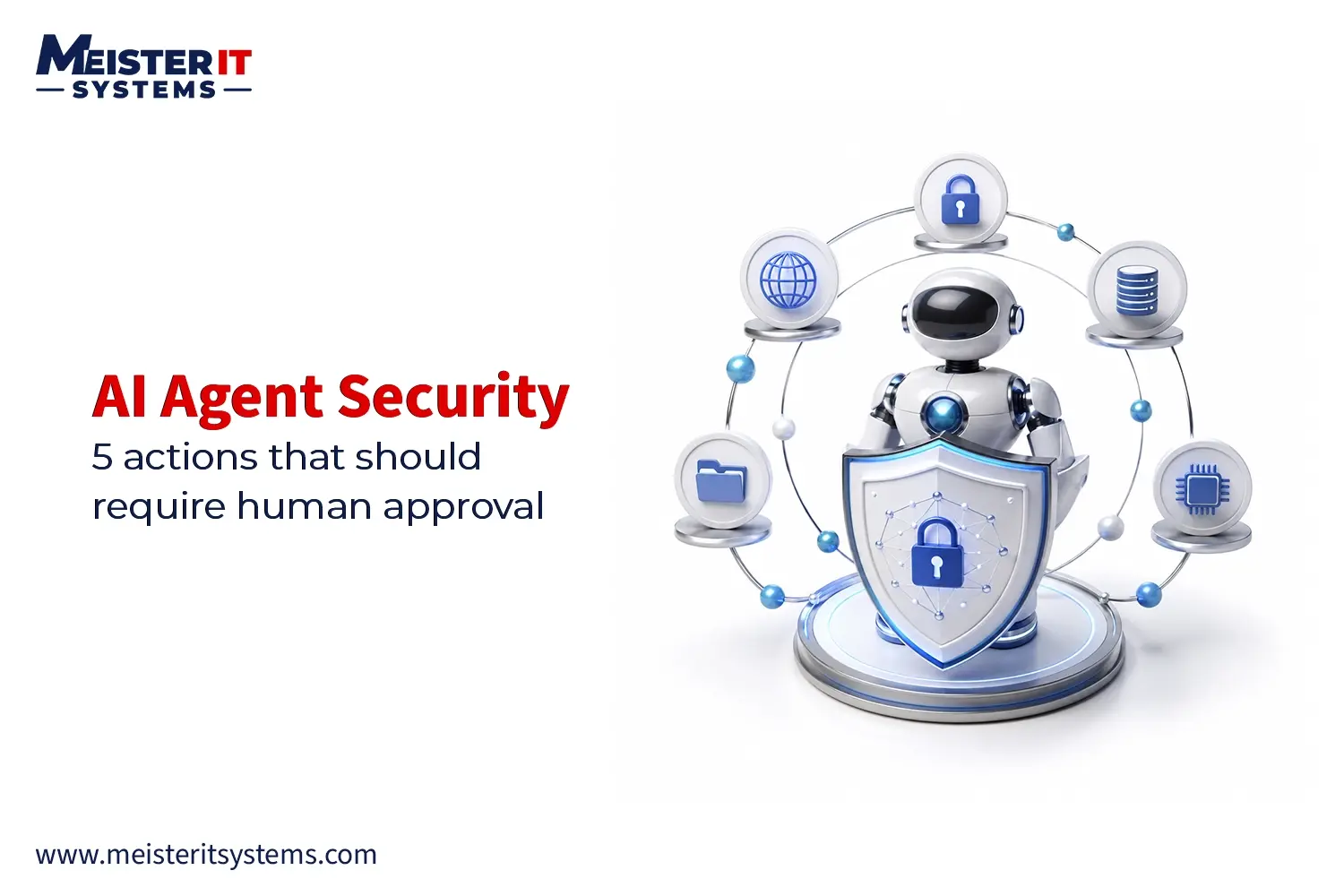
Human approval should normally be required before an agent:
- Sends external communications
- Issues refunds or payments
- Deletes or modifies important records
- Changes user permissions
- Deploys production code
- Alters cloud infrastructure
- Shares confidential information
- Performs an irreversible action
Approval interfaces must show the user what the agent intends to do, which tool it will use, what information will be shared, and what result is expected.
A simple “Allow” button without meaningful context is not sufficient oversight.
What Could an MCP Security Failure Cost?
An MCP security incident can affect data, operations, compliance, finances, and customer trust.
Potential consequences include:
- Customer or employee data exposure
- Financial fraud
- Intellectual property theft
- Operational disruption
- Deleted or corrupted records
- Unauthorised production changes
- Regulatory investigations
- Compliance violations
- Contractual penalties
- response costs
- Reputational damage
The risk becomes greater when an AI agent can execute multiple actions across connected tools without pausing for review.
How to Secure MCP Access to Business Tools ?
Businesses need layered security controls that limit what an AI agent can access and reduce the impact of an incorrect decision.
1. Create an approved MCP server registry
Maintain a central record of every authorised MCP server, its owner, permissions, connected systems, security status, and review history.
2. Apply least-privilege access
Give each agent only the tools and data needed for its defined role. Use read-only access wherever write access is unnecessary.
3. Strengthen identity and authorisation
Use OAuth 2.1, resource-specific tokens, narrow scopes, strict audience validation, and clearly defined user-to-agent delegation.
4. Protect business credentials
Store secrets in a dedicated secrets-management platform. Never place credentials in prompts, model context, source code, or general configuration files.
5. Validate tool inputs and outputs
Treat external content, tool descriptions, arguments, and responses as untrusted. Apply schema validation, input restrictions, URL allowlists, output filtering, and content sanitisation.
6. Isolate MCP servers
Run MCP servers within controlled environments. Restrict their network, file-system, process, and credential access.
7. Add meaningful approval checkpoints
Require human approval for sensitive, external, financial, destructive, or irreversible actions.
8. Monitor complete AI workflows
Log the user request, agent decision, selected tool, parameters, approval, accessed data, destination, and final outcome.
9. Conduct continuous security testing
Perform permission reviews, dependency scanning, prompt injection testing, adversarial testing, MCP server audits, and incident-response exercises.
MCP Security Checklist for Decision-Makers
Before deploying an MCP-connected AI solution, confirm that:
- Every MCP server has been reviewed and approved.
- Agent permissions follow the principle of least privilege.
- Read and write permissions are separated.
- Tokens are scoped to the correct resource.
- Credentials cannot enter the model context.
- Sensitive actions require human approval.
- Tool inputs, descriptions, and outputs are validated.
- MCP servers run in isolated environments.
- Tool calls and data transfers are logged.
- An incident-response process is documented.
- Permissions are reviewed regularly.
Should Your Business Use MCP?
Yes, MCP can reduce integration complexity and help businesses deploy useful AI workflows faster. It can support customer service, sales, software development, analytics, document management, and internal operations.
The decision should not be whether MCP is completely risk-free. No enterprise integration is. The real question is whether the organisation can control the agent’s identity, permissions, tools, data access, and actions.
Businesses should begin with narrow, low-risk use cases. Access can then expand gradually after security controls, monitoring, and approval workflows have been tested.
Build Secure MCP Integrations With MeisterIT Systems
Connecting AI to business tools requires more than a working API integration. It requires a secure architecture that protects data, restricts permissions, validates every tool interaction, and keeps people in control of sensitive decisions.
MeisterIT Systems helps businesses design and develop secure AI agents, MCP integrations, enterprise automation workflows, and scalable AI applications. Our team can support architecture planning, access controls, authentication, human approval workflows, security testing, deployment, and ongoing monitoring.
Unsure whether your MCP architecture is ready for production?
Contact us today to assess your tool permissions, data exposure paths, authorisation flows, and deployment security before connecting AI to critical business systems.
Frequently Asked Questions
Q1. What are the main MCP security risks?
A1. They include prompt injection, tool poisoning, excessive permissions, credential exposure, data leakage, and unauthorized actions.
Q2. Is MCP secure for enterprise use?
A2. Yes, when businesses implement strong authentication, least-privilege access, monitoring, server validation, and human approval.
Q3. What is MCP tool poisoning?
A3. It involves hiding malicious instructions in tool descriptions or responses to manipulate an AI agent’s actions.
Q4. How can businesses secure MCP servers?
A4. Use OAuth 2.1, narrow permissions, protected credentials, server allowlisting, isolated environments, and continuous monitoring.
Q5. When should AI actions require human approval?
A5. Approval should be required for financial, destructive, external, sensitive, or irreversible business actions.