
Key Takeaways
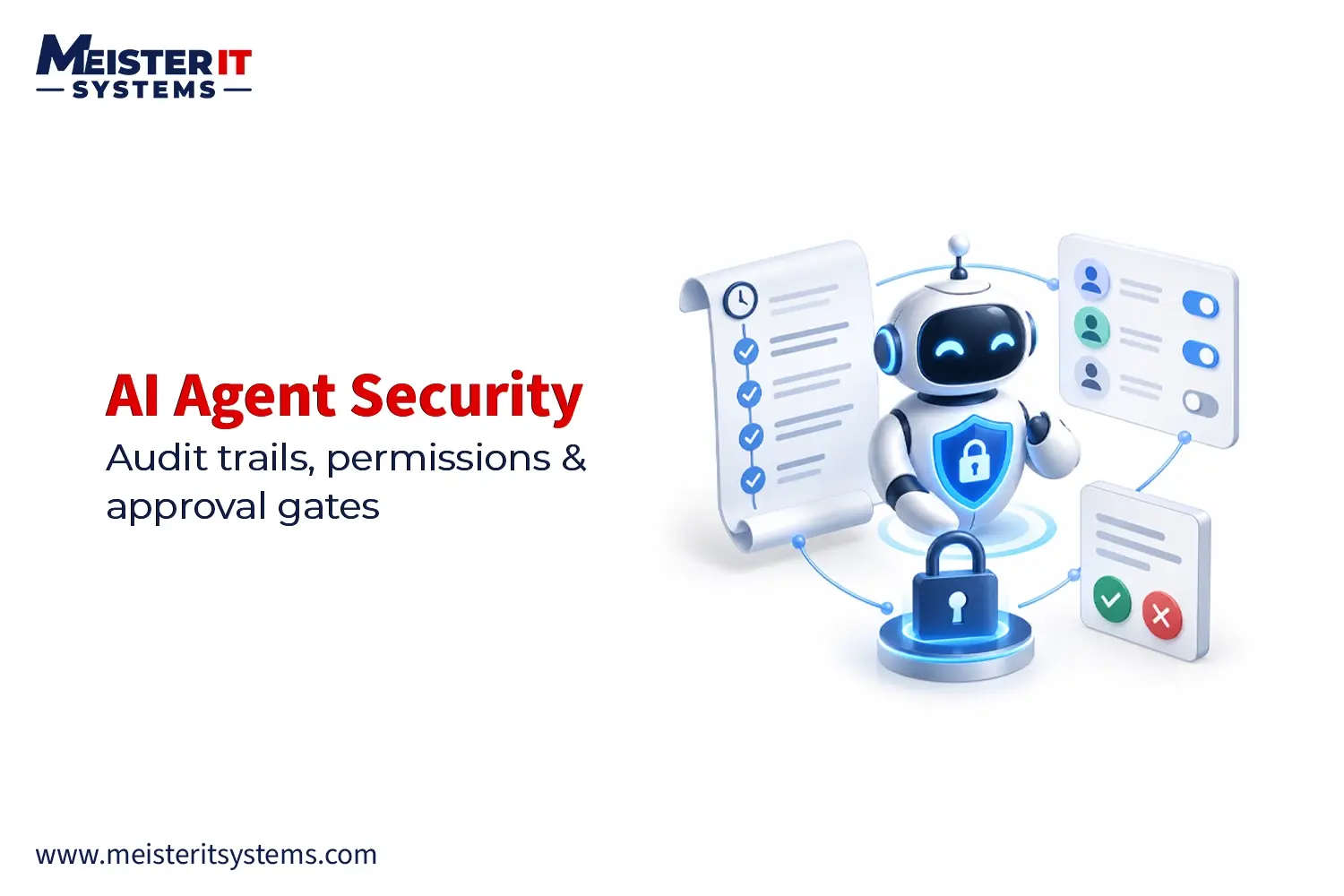
- Audit trails record AI agent actions, tool usage, permission decisions, approvals, and execution results for traceability.
- Least-privilege permissions limit agents to the tools, actions, data, environments, and user-level access they actually need.
- Risk-based approval gates keep humans in control of high-impact actions while allowing low-risk tasks to run automatically.
- MeisterIT Systems builds production-ready AI solutions with secure integrations, scalable architecture, intelligent automation, and operational controls.
Introduction
AI agents are moving beyond chatbots and copilots. They can now access enterprise databases, call APIs, update CRM records, trigger workflows and execute business processes with limited human intervention.
For CTOs and engineering leaders, this creates an important challenge: how can AI agents operate autonomously without gaining uncontrolled access to business systems?
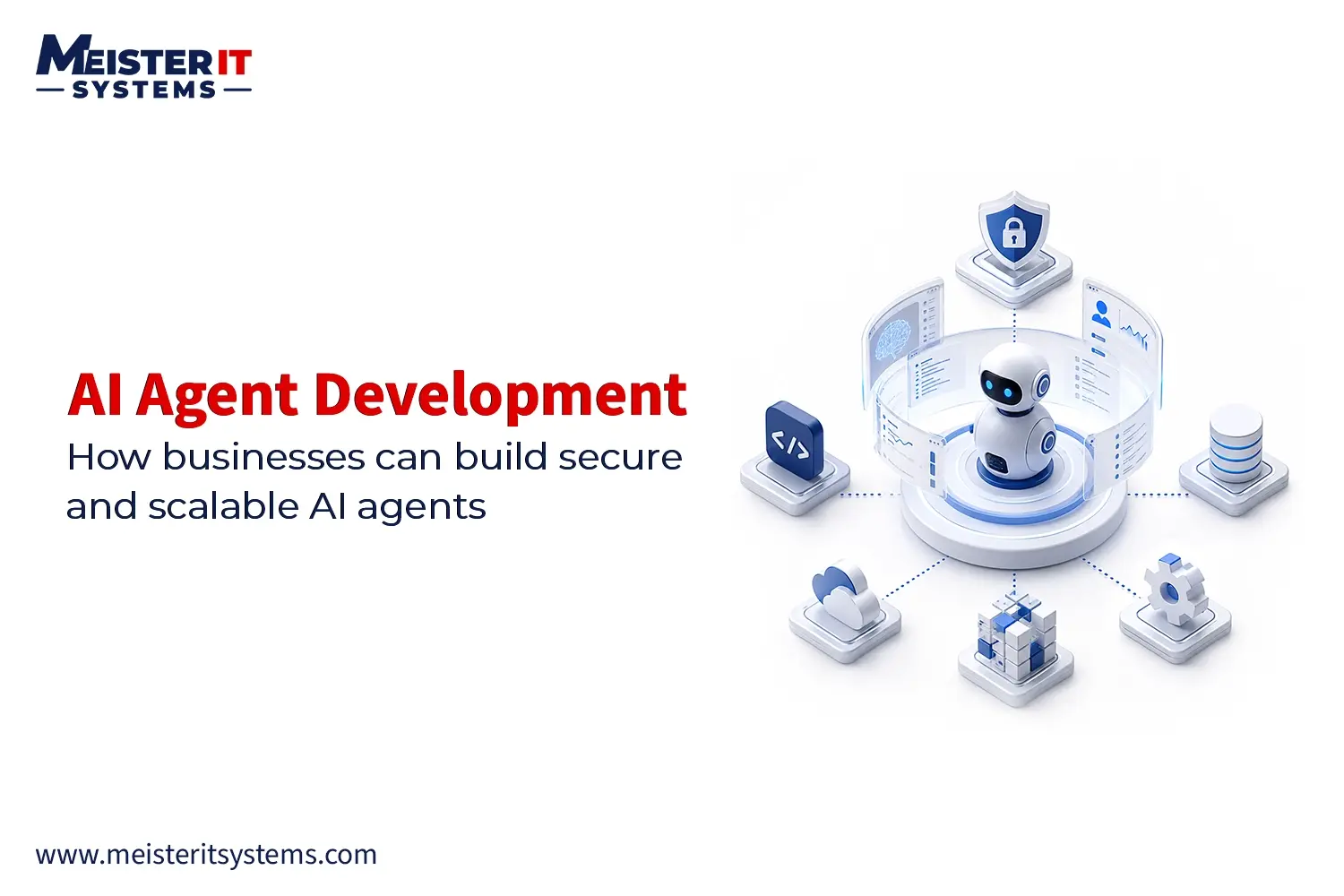
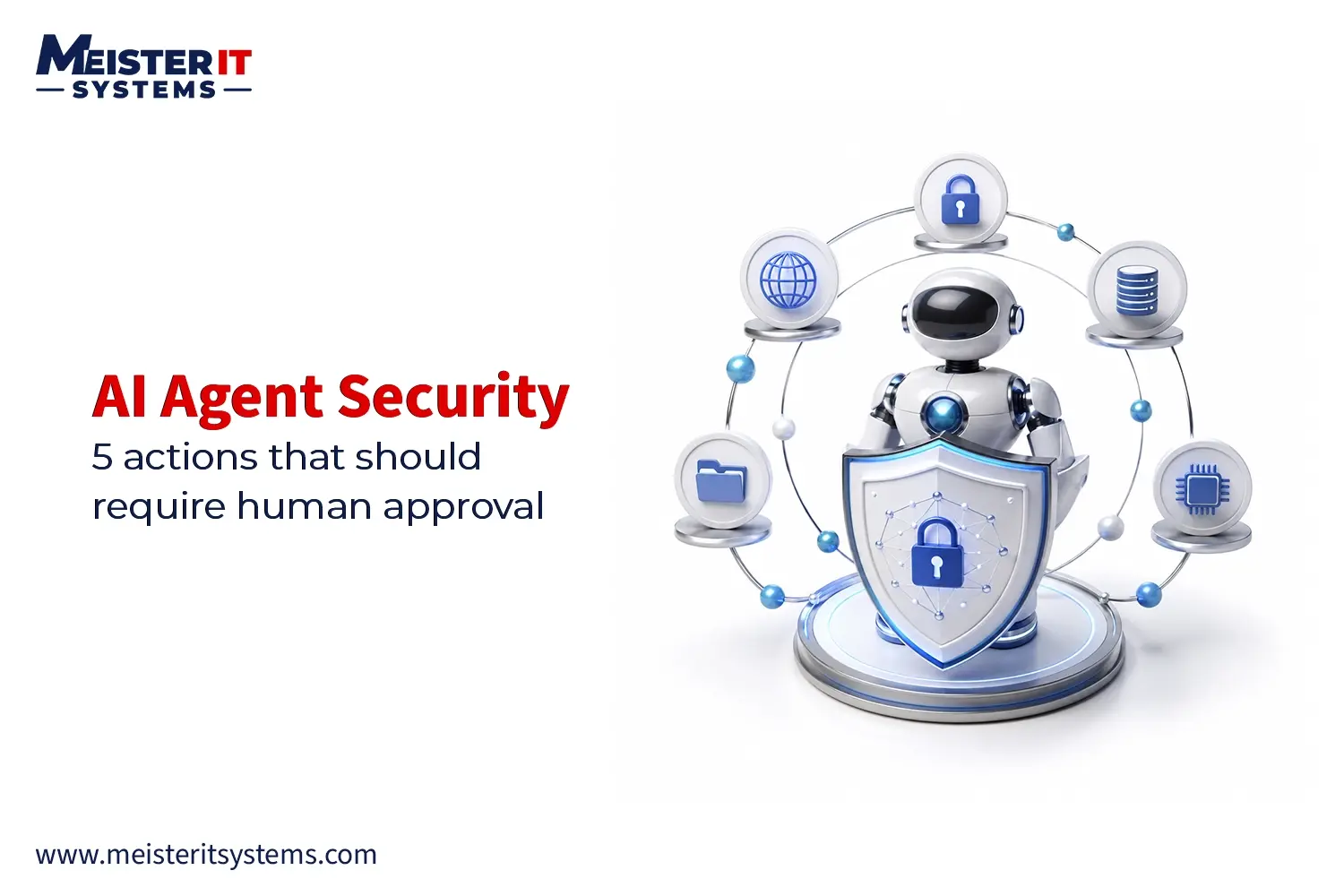
A production-ready AI agent needs more than a capable LLM. It needs AI agent security, permissions, audit trails and approval workflows built into its architecture.
This guide explains how these controls work and what technology leaders should look for when choosing an AI agent development company.
Why AI Agents Need Governance
An AI agent can interpret a request, select a tool, retrieve information and execute an action. Unlike traditional software, its behaviour can vary depending on the context and information it receives.
For example, a procurement agent could identify a supplier, compare prices, create a purchase order and submit it through an ERP API.
Without appropriate controls, a compromised credential, malicious input or unexpected model behaviour could lead to an unauthorised transaction.
A strong AI agent architecture should therefore establish:
- What the agent can access
- What actions it can perform
- Which actions require approval
- What happened during execution
This is where audit trails, permissions and approval gates become critical.
1. Create an AI Agent Audit Trail
An AI agent audit trail records important actions performed during an agent workflow.
For enterprise applications, logging only the final result is not enough. Engineering and security teams need enough information to understand how the agent reached that result.
Useful audit events can include:
- Agent ID and version
- User or service identity
- Timestamp
- Workflow ID
- Tools and APIs used
- Requested action
- Permission decision
- Approval status
- Execution result
- Errors and exceptions
- Correlation ID
For example, an audit event could show that a procurement agent requested a £7,850 purchase order, passed its permission check, triggered a finance approval and successfully completed the transaction.
This creates traceability for debugging, security investigations and compliance.
2. Apply Least-Privilege Permissions
AI agents should not automatically inherit broad permissions from the users or applications they work with.
Instead, implement least-privilege access based on the agent’s specific responsibilities.
A customer support agent might be allowed to read customer profiles and update support tickets, while being denied access to delete customers, modify billing information or change user permissions.
Permissions can operate at several levels:
- Tool level: Which systems can the agent access?
- Action level: What can it do within those systems?
- Data level: Which records can it access?
- Environment level: Can it operate in production?
- User level: What can it do on behalf of a specific user?
This layered approach makes AI agent access control significantly stronger than providing a general-purpose service account.
3. Add an AI Policy Enforcement Layer
The LLM should not be the final authority over whether an action is allowed.
Instead of connecting an agent directly to production systems:
LLM → Tool → Production system
use:
LLM → Tool request → Policy engine → Authorisation → Tool execution
The policy engine evaluates the proposed action against predefined rules.
For example, an agent may request a customer deletion, but the policy engine can determine that the agent has read and updated permissions only.
The result is simple:
- ALLOW: Execute the action.
- DENY: Block the action.
- REQUIRE APPROVAL: Pause execution until an authorised person approves it.
This separation is a fundamental part of secure AI agent development.
4. Use Approval Gates for High-Risk Actions
Not every action performed by an AI agent needs human approval.
Requiring approval for every tool call would make automation inefficient. Instead, organisations can introduce AI approval gates for actions that carry financial, operational, security or compliance risks.
Examples include:
- Large financial transactions
- Customer refunds
- Contract changes
- Production deployments
- Data deletion
- Permission changes
- External communications
- Critical infrastructure changes
A typical workflow could be:
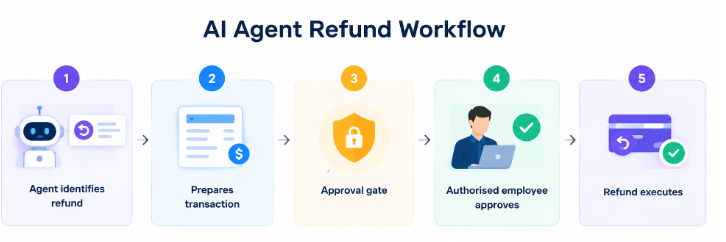
This creates a practical human-in-the-loop AI architecture, where the agent handles routine work while humans retain control over consequential decisions.
5. Make Approval Workflows Risk-Based
Approval gates work best when they are based on risk rather than applied universally.
A simple model could look like this:
| Risk | Example | Control |
|---|---|---|
| Low | Classify support ticket | Automatic |
| Medium | Update CRM record | Permission + audit |
| High | Issue large refund | Human approval |
| Critical | Modify production infrastructure | Multi-step approval |
The exact thresholds should reflect the organisation’s processes and risk profile.
This approach allows AI agents to remain autonomous for routine tasks while creating additional oversight around high-impact operations.
For CTOs, this balance is important. Too little control creates security risks. Too much manual intervention removes the efficiency advantage of agentic automation.
6. Separate Planning From Execution
A production AI agent should ideally separate decision-making from execution.
The agent can determine what action it believes should happen, but a controlled application layer should decide whether that action is authorised.
A typical architecture is:
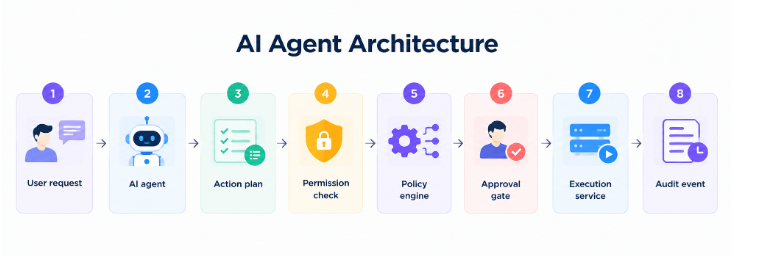
This separation reduces the potential impact of unexpected model behaviour.
It also makes the system easier to maintain when models, prompts or agent frameworks change.
For businesses planning enterprise AI agent development, this architecture provides a stronger foundation for security, testing and future scalability.
7. Secure Credentials and Tool Access
Long-lived credentials with excessive privileges can significantly increase the risk associated with AI agents.
Where possible, use scoped and short-lived credentials.
For example, a sales agent may receive permission to read and update specific CRM records for a limited period rather than receiving permanent administrator access.
A tool gateway can also enforce:
- Authentication
- Authorisation
- Rate limits
- Input validation
- Schema validation
- Destination restrictions
- Credential management
- Request logging
These controls create another security boundary between the AI model and the systems it can interact with.
8. Validate Every Tool Call
An AI model should never be trusted to enforce business rules by itself.
Suppose an agent generates a £5,000 refund request. The backend should independently verify whether the agent is authorised, whether the customer is eligible, whether the amount is within its transaction limit and whether approval is required.
The same principle applies to database updates, payment systems, cloud infrastructure and internal applications.
The model proposes. The application enforces.
This is one of the most important principles in AI agent security because it prevents business-critical controls from depending solely on model behaviour.
9. Add AI Agent Observability
Audit trails explain what happened. AI agent observability helps teams understand how the system behaves over time.
Production monitoring can track:
- Tool-call frequency
- Permission failures
- Approval requests
- Rejected approvals
- Unusual data access
- Failed API calls
- Agent latency
- Inference costs
- Policy violations
- Unexpected tool sequences
For example, if an agent normally accesses a few hundred customer records but suddenly attempts thousands of requests, monitoring should flag the behaviour.
Depending on the architecture, automated safeguards can then rate-limit the agent, terminate the session, revoke credentials or escalate the incident.
What to Look for When Outsourcing AI Agent Development
For CTOs evaluating an AI agent development company, technical capability should go beyond LLM integration.
Ask prospective AI agent developers:
1. How will you control agent permissions?
Look for least-privilege access, scoped credentials and granular authorisation.
2. How will you audit agent activity?
The team should be able to explain structured logging, correlation IDs and secure audit storage.
3. Which actions require human approval?
A strong development partner should be able to design risk-based approval workflows.
4. How will you secure tool calls?
The application should independently validate actions instead of trusting the LLM.
5. How will the agent be monitored in production?
Look for observability, anomaly detection, error tracking and operational metrics.
These questions help distinguish a team that can build an impressive AI demo from one that can engineer a production-ready AI agent.
Conclusion
Enterprise AI agents need more than a powerful model. They require secure architecture, controlled access, reliable integrations and clear operational boundaries. Audit trails provide visibility. Permissions establish boundaries. Approval gates provide human oversight. Policy enforcement ensures that business rules remain outside the model itself.
For organisations looking to outsource AI agent development, these capabilities should be part of the evaluation process from the beginning.
MeisterIT Systems helps businesses develop AI-powered solutions with a focus on secure integrations, scalable architecture, intelligent automation and production readiness.
Whether you need a custom AI agent, enterprise workflow automation or integration with existing business systems, the right architecture can help you move from an AI proof of concept to a reliable production solution.
Looking for an AI agent development team? Get in touch with our experts to discuss your project.
Frequently Asked Questions
Q1: Why do AI agents need audit trails?
A1: Audit trails record agent actions, tool usage, permission decisions, approvals, and execution results. This helps teams trace activity, investigate issues, and support compliance
Q2: What permissions should an AI agent have?
A2: AI agents should follow the principle of least privilege, with access limited to the specific tools, actions, data, and environments required for their tasks.
Q3: When should an AI agent require human approval?
A3: Human approval should be required for high-risk actions such as large financial transactions, data deletion, production changes, permission changes, and contract modifications.
Q4: How can businesses secure AI agent tool calls?
A4: A policy and authorisation layer should validate every tool request before execution. The application should independently verify permissions, business rules, limits, and approval requirements rather than relying on the LLM.
Q5: How can MeisterIT Systems help with AI agent development?
A5: MeisterIT Systems develops AI-powered solutions with secure integrations, scalable architecture, intelligent automation, and production-ready controls for enterprise workflows.